RECEON

For schools and course centers

Students enrolled, classes running. But has everyone paid their tuition?

For language, music, computer and tutoring schools and short courses.

Each student's tuition is created automatically every month, and RECEON shows who is up to date and who is late, with no office spreadsheet.

Start for free, no card. Automatic monthly tuition on the Completo plan.

Teacher smiling in front of a written whiteboard, in the classroom
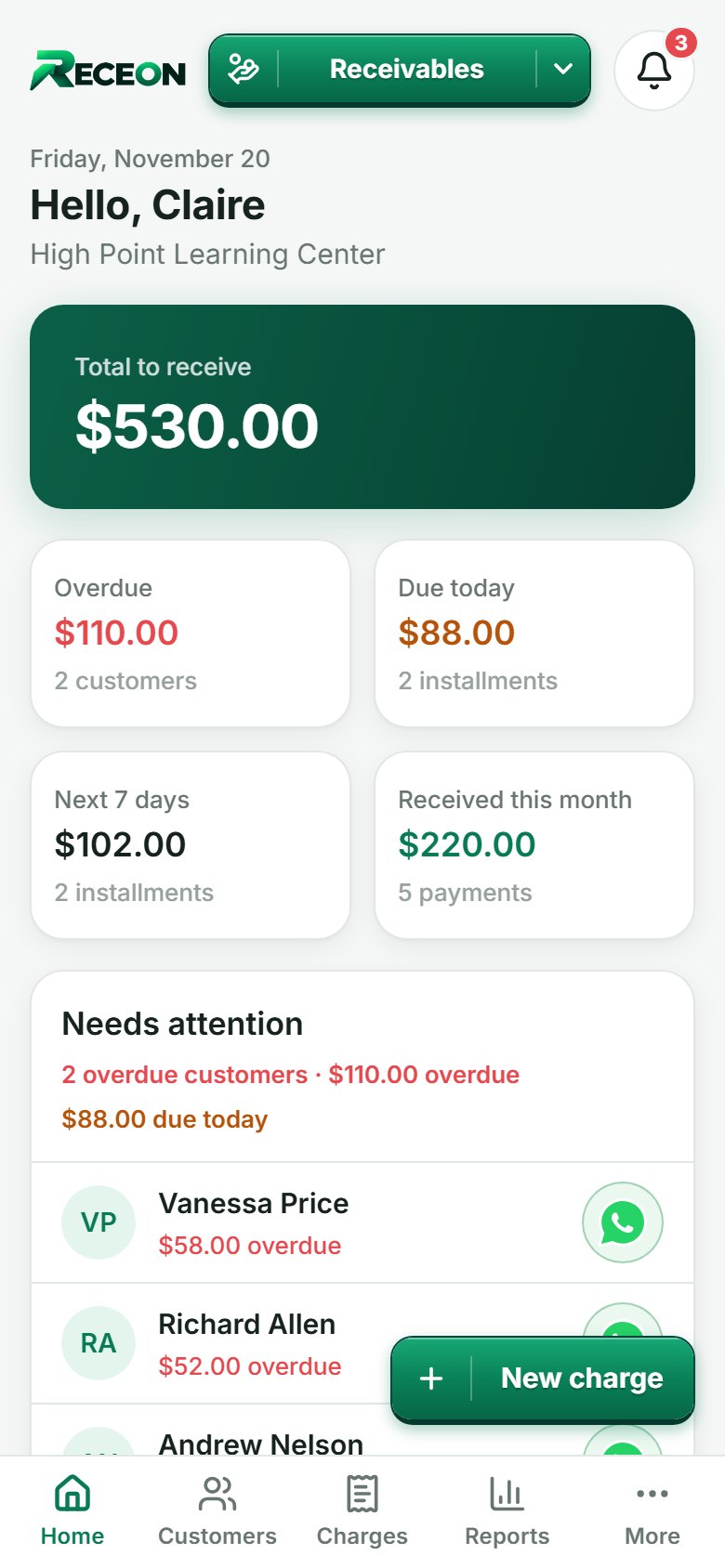
RECEON home screen for a school: total to receive, overdue, due today and students who need attention
School manager checking payments on a laptop, with pencils and books on the desk
“Did Ethan’s dad pay this month?”

Classes are full. So is the office spreadsheet.

A school has enrollments, tuition, materials and all kinds of classes. Little by little, it gets hard to keep track:

  • Enrollment
  • Tuition
  • Course materials
  • Mom is the one who pays
  • Sibling discount
  • Partial scholarship
  • Student who stopped coming
  • 12-month course
  • Who already paid?

And there’s the course that ended but whose tuition stayed in the spreadsheet. At the end of the month, nobody knows for sure who is up to date.

How it works

At your school, in five steps.

  1. Add who pays, the student or the parent, with name and WhatsApp.
  2. Create the monthly tuition with the due day and, if you want, the date the course ends.
  3. Open the home screen and see who is due today and who is late.
  4. Remind on WhatsApp, with the message ready.
  5. Record the payment and send the PDF receipt.
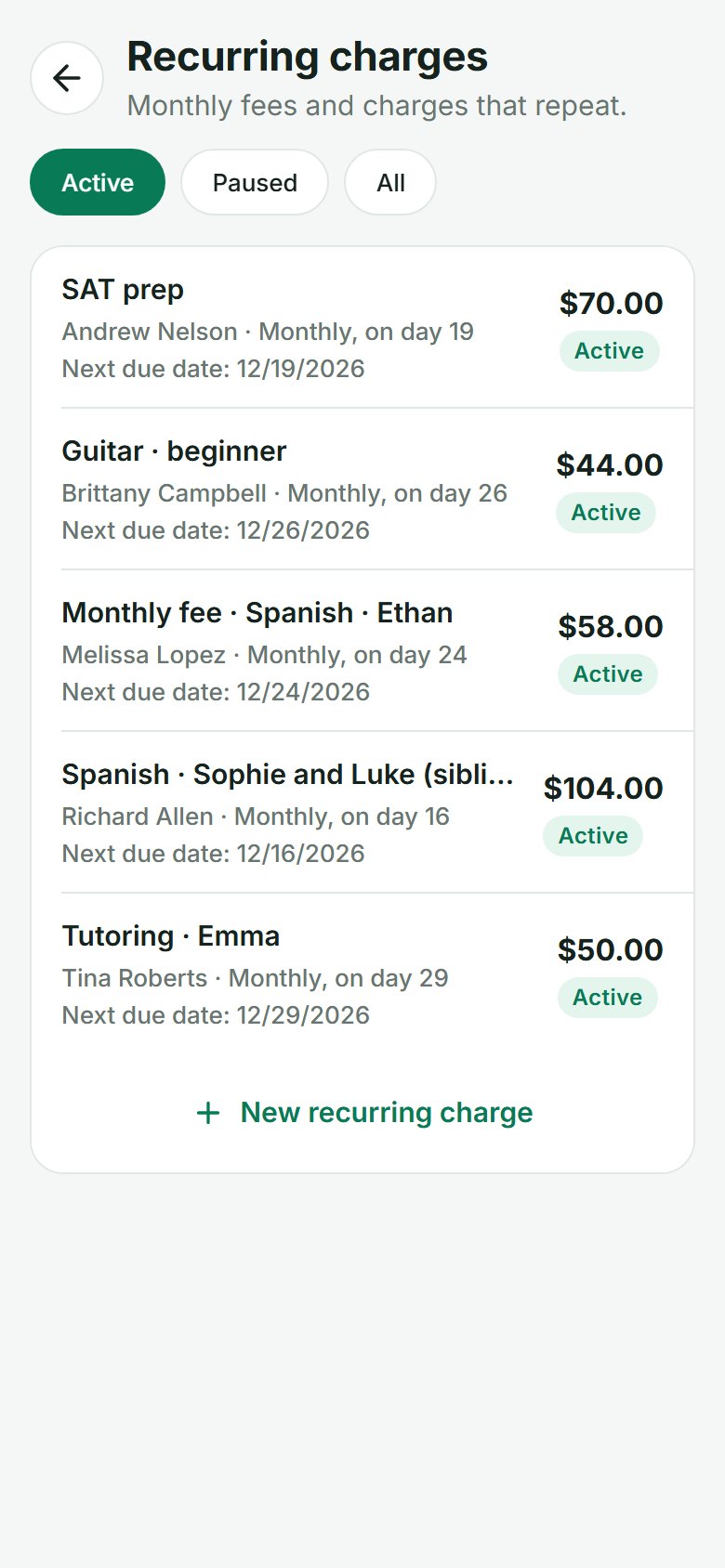
School's recurring tuition list, with the course, the student and the next due date

Everyday situations

Whatever happens at the school has a place in RECEON.

A parent is the one who pays

Add the parent and put the student’s name in the description, like “Tuition · English · Peter”.

Course with an end date

Tuition ends on its own on the course end date. No charges after the last class.

Enrollment and course materials

One-time charges, separate from tuition, with a receipt when paid.

Course paid in installments

Installment charge: RECEON splits the course price and tracks each installment.

Student paused or went on vacation

Pause the tuition and resume it when they come back. The history stays saved.

Sibling discount or scholarship

Each tuition with its own amount, and the description makes the deal clear.

WhatsApp reminders

Remind parents politely and privately.

No more asking at the classroom door or in the class group chat. RECEON writes a polite message with the course, the amount and the due date.
  • Send a reminder before the due date, not only after it’s late.
  • You review the text and send it from your own WhatsApp.
  • Got paid? Record the payment and send the PDF receipt.
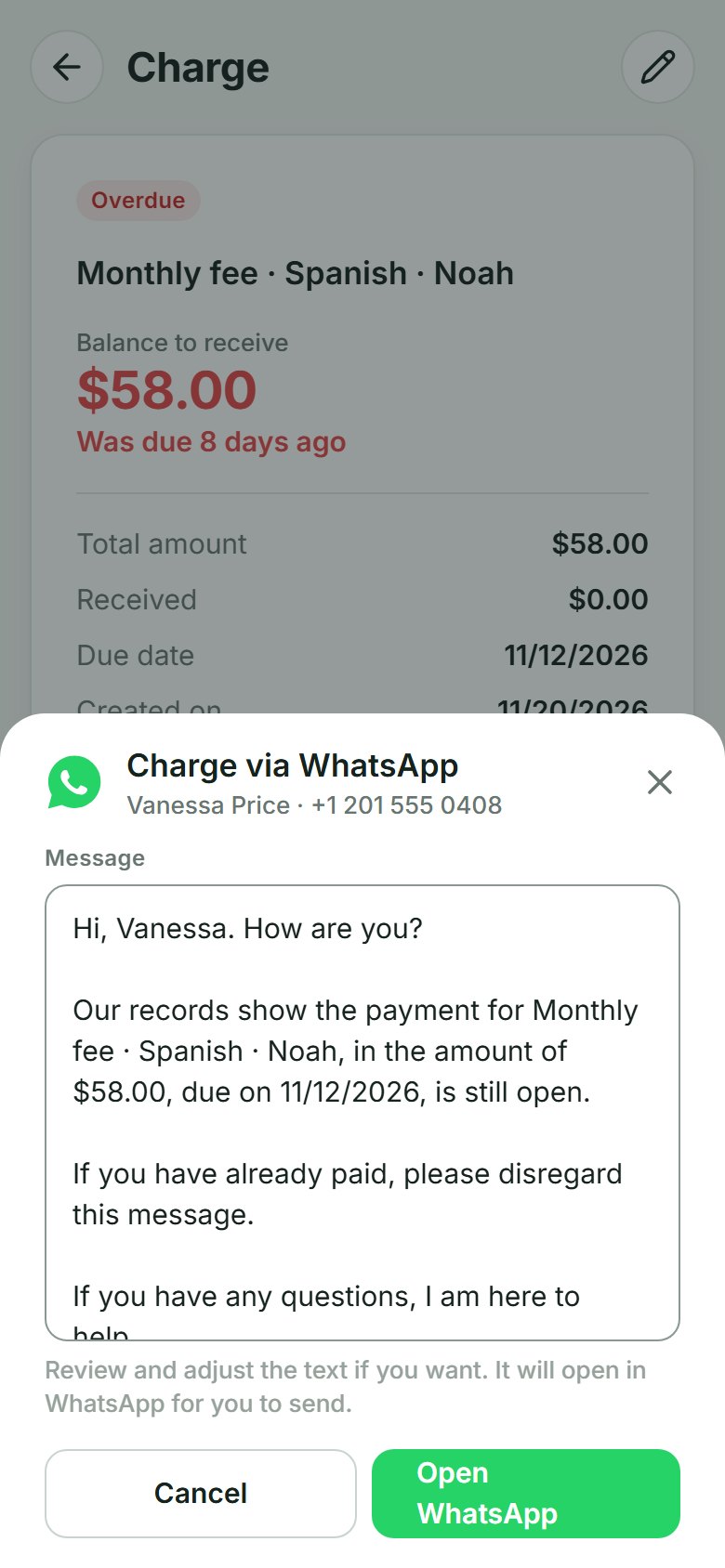
Reminder message ready to send on WhatsApp to a student's mother with overdue tuition

On the computer and the phone

On the office computer. And on the phone, between classes.

Open RECEON in the computer browser and in the Android app, with the same information. On iPhone, it works in the browser.
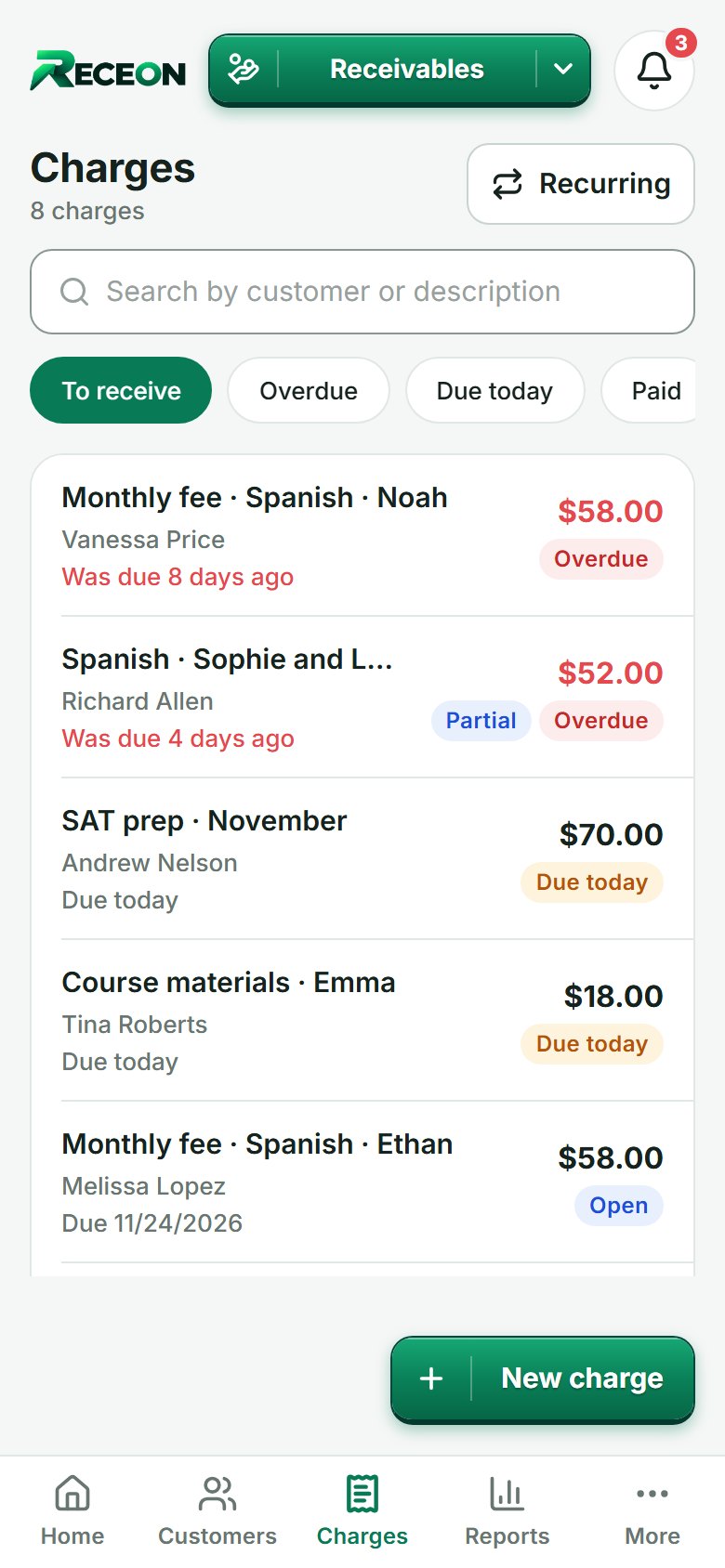
  • Overdue tuition and today's due dates right on the home screen
  • Search by payer, student or course name
  • Daily summary on the phone (Android app), at the time you choose
  • Reports of what came in this month and who owes the most
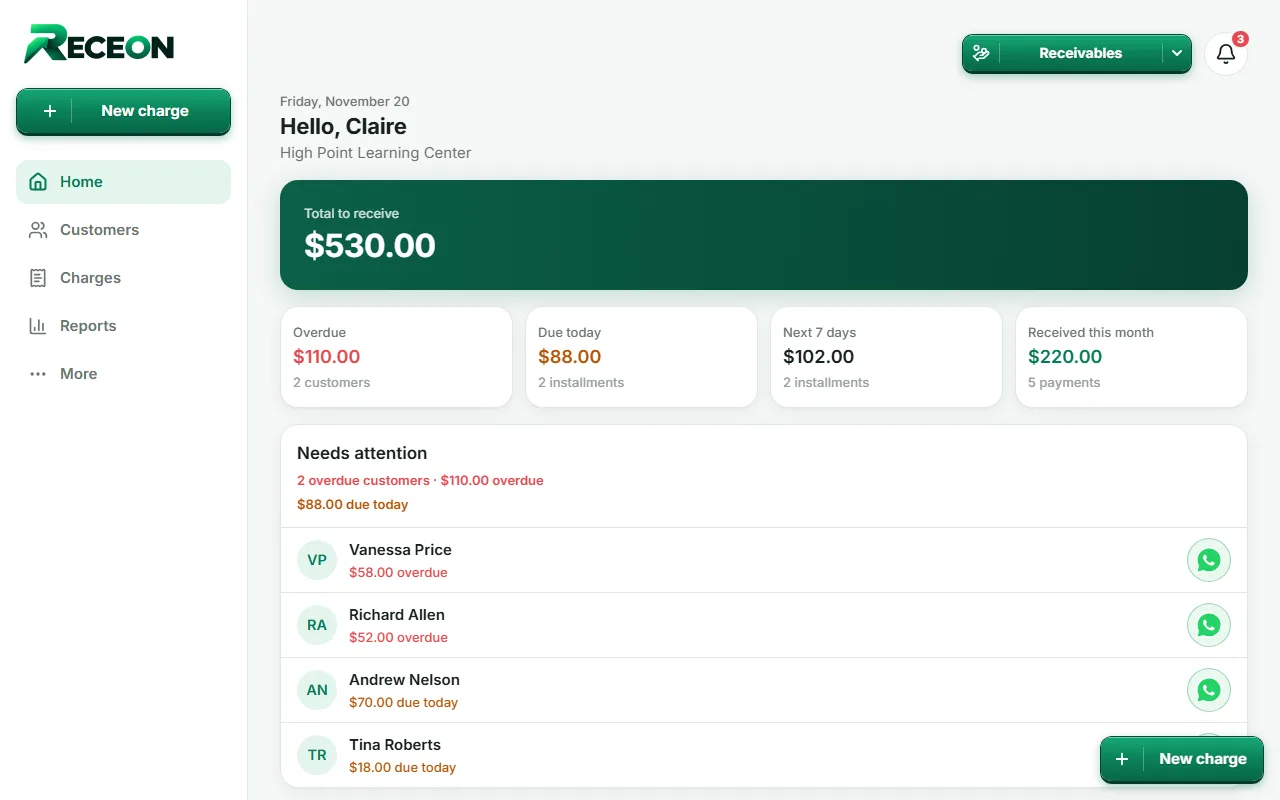
RECEON on the school computer: total to receive, overdue and students who need attention
School tuition and charges list: overdue, due today and open

Payables

And the school’s bills too.

In the same RECEON, switch to Payables and track what the school needs to pay, with due dates and what's already paid.
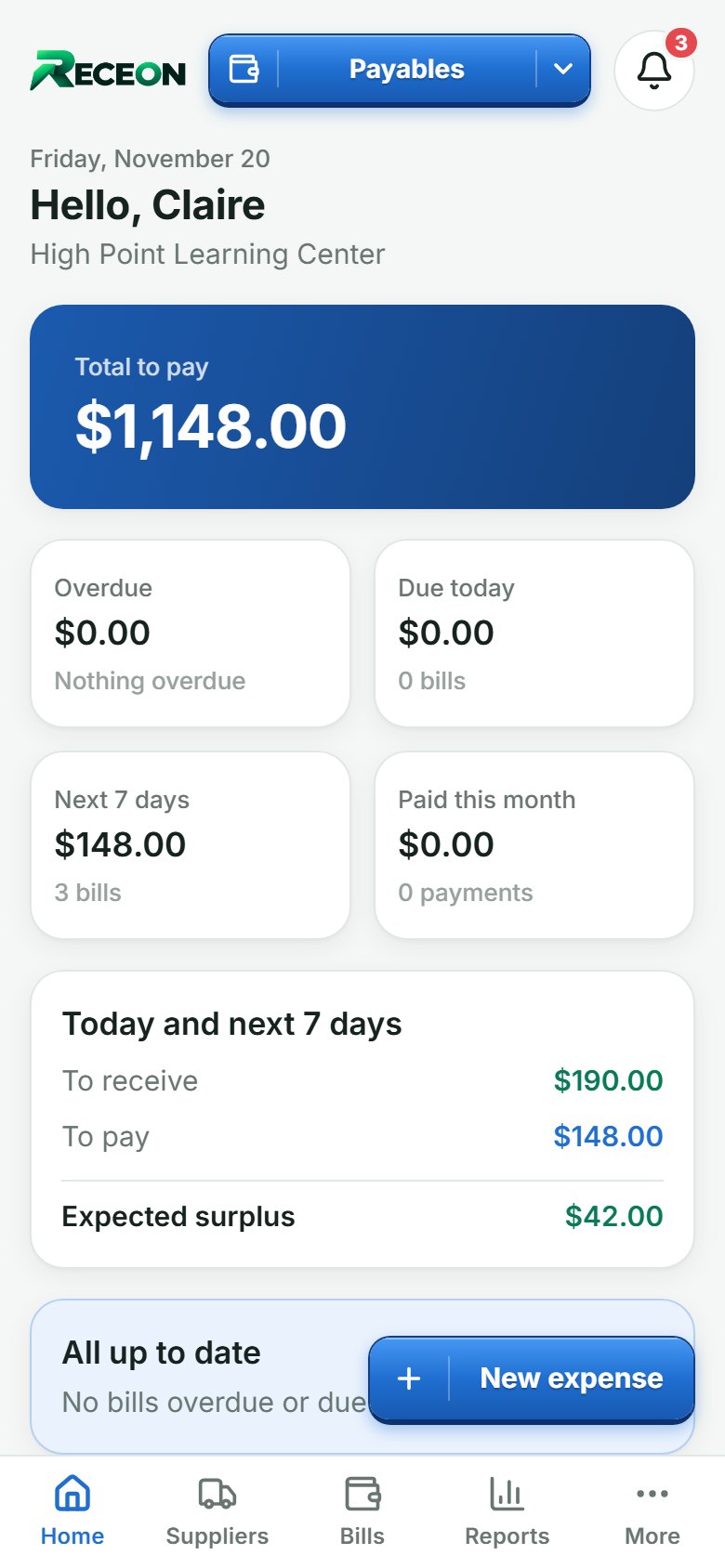
  • Classroom rent, electricity and internet, repeated every month
  • Paying teachers and office staff
  • Course materials and stationery
  • Tuition coming in and bills going out in the next 7 days
School payables: total to pay, due dates and the week's forecast of money in and out

What RECEON does not do

So you can decide clearly before creating an account:

  • It doesn't manage attendance, grades, classes or report cards.
  • It doesn't create enrollment contracts or issue tax invoices.
  • It doesn't charge cards on its own or issue invoices.
  • It doesn't move your money: payers keep paying as always, by transfer, cash or card.

It handles the money side and does it well: knowing who paid and who hasn't yet.

Plans for your school

Start for free to try it. Automatic monthly tuition is in Completo.

Free

To try it out

Free

No credit card.

Students and charges

  • Up to 5 customers and 10 charges per month
  • One-time charges
  • WhatsApp reminders and PDF receipts

Payables

  • Up to 5 suppliers and 10 bills per month
  • One-time bills

And more

  • Dashboard, overdue items and due date alerts
  • Export of your data
Start for free

Completo

For the school

From US$ 6.99 per month

US$ 9.99 in the US, Canada and Puerto Rico. You see the final price in your currency, taxes included, before paying. Subscribe on your computer or in the Android app. One subscription works on both. Cancel anytime.

Students and charges

  • Unlimited customers and charges
  • Automatic monthly tuition, with an end date
  • Courses in installments

Payables

  • Unlimited suppliers and bills
  • Bills that repeat every month

And more

  • Reports and charts
  • Import of your student spreadsheet
  • Everything in Free
Start for free

Completo is a monthly subscription, in the Android app (Google Play) or in the browser (Paddle). If you cancel, you go back to Free and your data stays saved.

Questions from school owners

How do I track my students' tuition?

In RECEON you add who pays, create the recurring tuition with the due day and the system creates the next ones automatically. The home screen shows who is due today, who is late and how much the school has to receive, with no spreadsheet.

Does it work for language, music and tutoring schools?

Yes. It works for any school or course that charges enrollment, monthly tuition or courses in installments: languages, music, computers, tutoring, test prep and vocational courses.

When a parent is the one who pays, how do I set it up?

Add the parent as the customer, with their WhatsApp, and put the student’s name in the tuition description, for example “Tuition · English · Peter”. The reminder and the receipt go to whoever pays.

Can the tuition stop when the course ends?

Yes. When you create the tuition, enter the date the course ends. RECEON creates the charges until that date and stops on its own.

How do I remind a late parent on WhatsApp?

RECEON writes a polite message with the course, the amount and the due date. You review it and send it from your WhatsApp, privately. You can also send a reminder before the due date.

Does RECEON track attendance and grades?

No. RECEON doesn't track attendance, grades, classes or report cards. It handles the money side: who paid, who hasn't yet and the school's bills.

I already have students in a spreadsheet. Can I import it?

Yes, on the Completo plan. You import the spreadsheet (Excel or CSV) instead of adding them one by one. And you can export everything back anytime.

Do I need a registered business?

No. RECEON works for self-employed teachers and for schools with a registered business.

Classes on track, tuition too.

Stop relying on a spreadsheet to know who paid. Start organizing students, parents, tuition and the school's bills with RECEON.

Start for free

Get it on Google Play

Start for free on the Free plan. No credit card.

Discover everything RECEON does

Start for free